Sprout Social is a great social media tool for social media managers or creators lucky enough to have the budget.
But it’s on the pricier end. Plans for solo users start at $99 per month ($79 if you pay annually), and plans for teams start at $249 per user per month ($199 if you pay annually).
It’s no doubt money well spent for large social media marketing teams at enterprise companies, but marketers at smaller companies or creators will have to work hard to justify that spend.
Thankfully, there are plenty of other great social media management tools out there that can do everything Sprout Social can do and more — often at a more affordable price point or even for free. Cost is one reason people look elsewhere, but it’s rarely the only one.
Here are a few worth weighing:
- Budget: Tools with per-user pricing can get costly quickly.
- Analytics: The need for simpler, more straightforward social media analytics.
- Interface: Wanting a tool that’s easier to use at every step from generating content ideas to creating reports.
- Platforms: Needing a social channel that’s not supported, such as Substack.
- API and MCP: The ability to quickly and easily build custom workflows and tools.
As a former Sprout Social user and social media consultant with broad experience across social media management and analytics platforms, here is a curated list of the best Sprout Social alternatives, how much they cost, and their standout features.
Key Takeaways
- Best overall value: Buffer has a real free-forever plan and pricing starting at $6/channel per month, making it the top choice for creators and small teams looking for an affordable Sprout Social alternative.
- Best for enterprise teams: Hootsuite is the closest match to Sprout Social’s own price point and complexity, built for large, well-resourced marketing and support teams that manage high message volume through social channels.
- Best for proving ROI: Agorapulse is built around reporting that shows leadership social spend is working.
- Best for Instagram-driven influencer marketing: Later pairs visual planning for Instagram with a dedicated toolkit for running influencer campaigns.
- Best for agencies: Sendible is designed for managing multiple clients and social channels in one place.
- Best for content marketers: CoSchedule brings your blog, newsletter, and events into the same calendar as your social channels.
- Best for paid social: Metricool lets you manage Meta, Google, and TikTok ad campaigns alongside your organic content.
- Best for video creators: RecurPost’s Instagram, YouTube, and TikTok toolkit makes it the deepest option on this list for teams built around video.
- Pricing reality: Sprout Social’s team plan starts at $249/user per month with no free plan — every alternative here costs meaningfully less.
| Tool | Best for | Starting price |
|---|---|---|
| Buffer | Creators, small to mid-sized businesses, and growing agencies that want a flexible, affordable social media management tool. | Free (paid plans from $6/channel/month) |
| Hootsuite | Large teams that handle many messages, comments, and support requests on social media. | 14-day free trial, then $149/user/month |
| Agorapulse | Marketing teams that need to provide ROI of social media to leadership. | 30-day free trial, then $99/user/month |
| Sendible | Agencies managing multiple clients and social media channels that need a more affordable alternative. | 14-day free trial, then $35/month |
| CoSchedule | Creators and teams looking to manage their entire marketing strategy from one platform. | Free (paid plans from $39/month) |
| Later | Brands that combine an Instagram-heavy presence with influencer marketing campaigns. | Free (paid plans from $25/month) |
| Metricool | Creators and marketing teams that want to manage ad campaigns alongside their social media content. | Free (paid plans from $25/month) |
| RecurPost | Creators and teams that have a video-heavy social media presence. | 14-day free trial, then $9/month |
1. Buffer
Best for creators, small to mid-sized businesses, and growing agencies that want a flexible, affordable social media management tool.
| Pricing information | Details |
|---|---|
| Free plan | ✅ |
| Paid plans | Starting at $6/channel per month (billed monthly) |
| Annual billing | 20% off on all paid plans |
| Free trial | ✅ 14 days |
Buffer offers most of the features creators, small teams, and agencies need without breaking the bank.
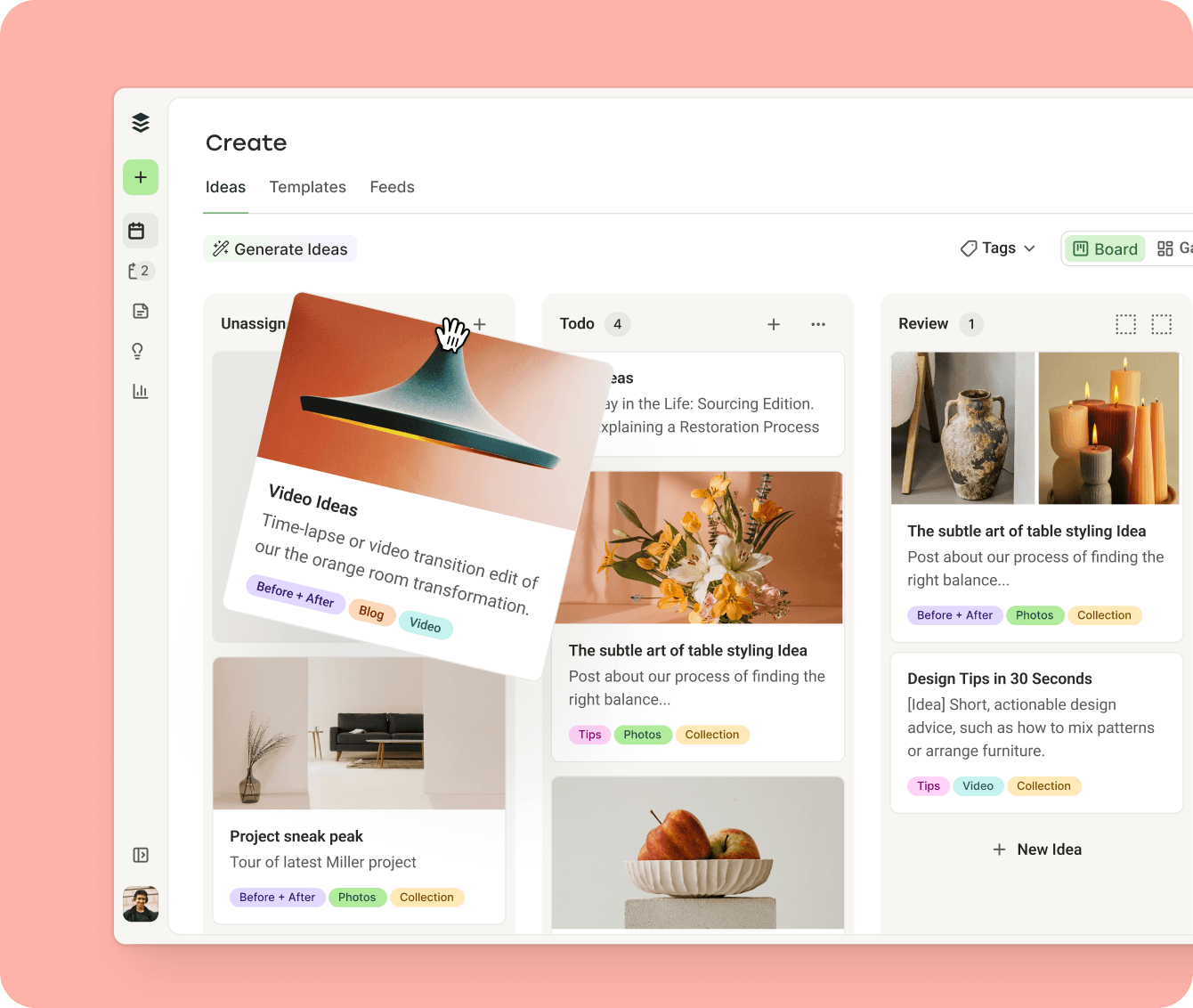
Buffer’s Free and Essentials plans are designed for one user to manage their entire social media presence at an affordable price.
Here’s what you get on the Free plan, which makes it one of the best free alternatives to Sprout Social available:
- Choose from a wide range of social media channels: You can connect to all the major social media platforms, including Twitter/X, LinkedIn, Facebook, Instagram, TikTok, Google Business Profile, Pinterest, YouTube, Threads, and Bluesky. Buffer also connects with newsletter platform Substack and decentralized network Mastodon, something you’re unable to do with Sprout Social.
- Schedule up to 30 posts at a time across three channels: Buffer’s Free plan lets you plan and schedule up to 10 posts per channel at a time (refillable as they’re published). That’s 30 posts ready to go at any time. Crossposting makes it easy to draft a post and customize it for different platforms from the composer itself.
- Build a content bank: Use Create Space to save up to 100 content ideas until you’re ready to publish. Combine that with the template library (both pre-made and custom templates you can create for yourself) and you may never run out of ideas.
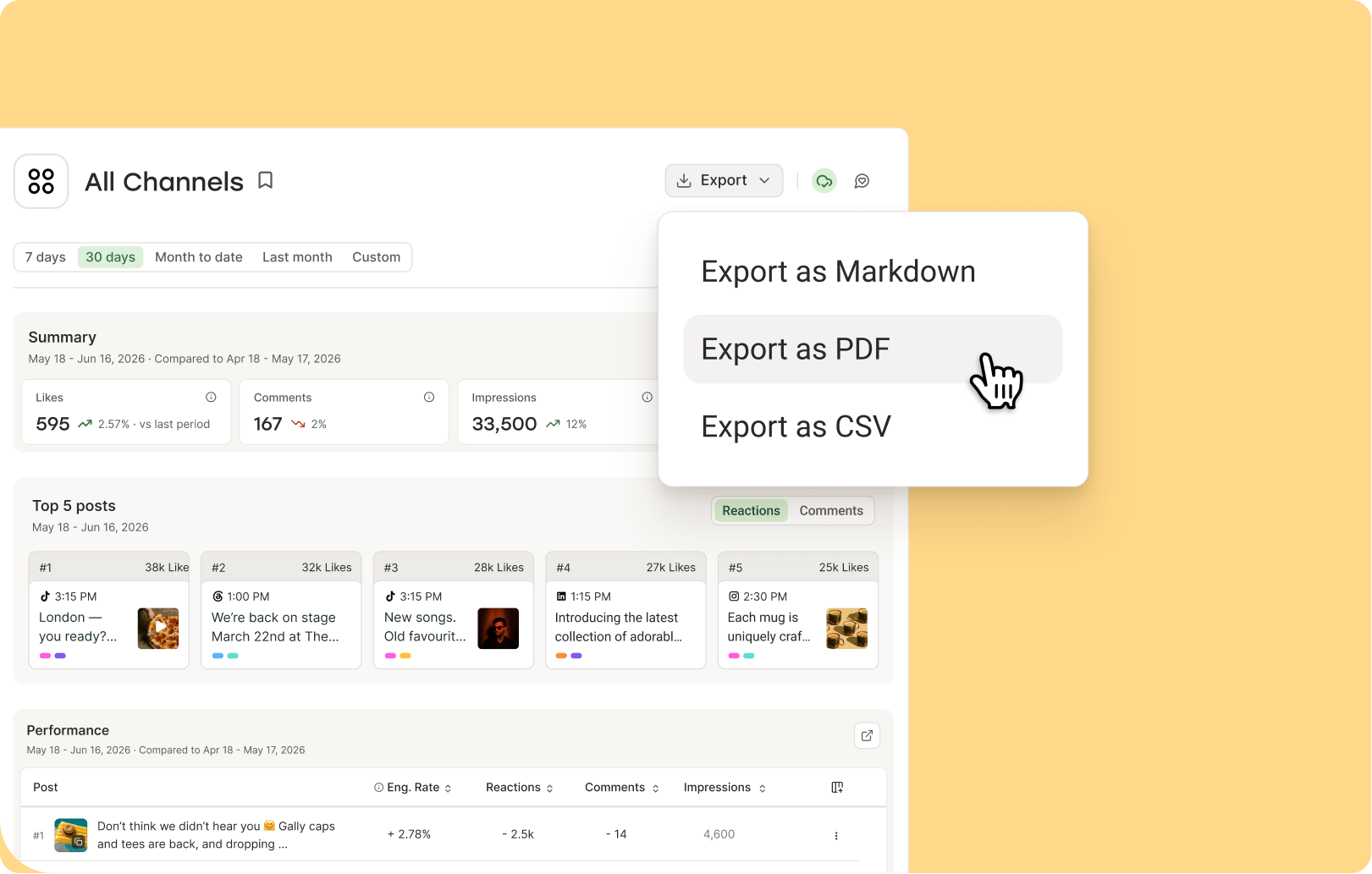
- Get analytics that are easy to understand and act on: You’ll find all your data and analytics in Insights, which shows you the numbers and tells you what you can do with them. AI-powered takeaways help you double down on what’s working, and you can export a snapshot of your data to share your progress.
- Reply to your audience: The Community inbox lets you reply to comments and mentions across all your social media channels in one place. You no longer need to hop between platforms or worry about missing a notification.
- Create custom tools and workflows with the API and MCP: You get one API key, detailed developer docs, support from the Buffer team, and encouragement from a passionate builder community in Discord.
- Use Buffer’s AI Assistant: Creating enough content for all your social media profiles all the time can be overwhelming. The AI Assistant — available with unlimited usage on the Free plan — helps take the load off.
- Handy integrations: Buffer connects with Canva, Dropbox, OneDrive, Google Drive and Photos, Zapier, and more. Connecting these tools lets you pull images into your posts without leaving Buffer and automate parts of your workflow.
Each of these alternatives addresses a specific gap that Sprout Social leaves for teams working with tighter budgets, different platform needs, or simpler workflow requirements. The right choice depends on your team size, the channels you manage, and whether features like influencer tools, paid ad management, or deep reporting matter most to your work.